Mainline Audio
The Fine Line
Precision Mastering Equalizer
A precise, restrained mastering EQ — exact numeric control, minimal visual noise.
Available Now · Introductory Price
$99
Regular price $149
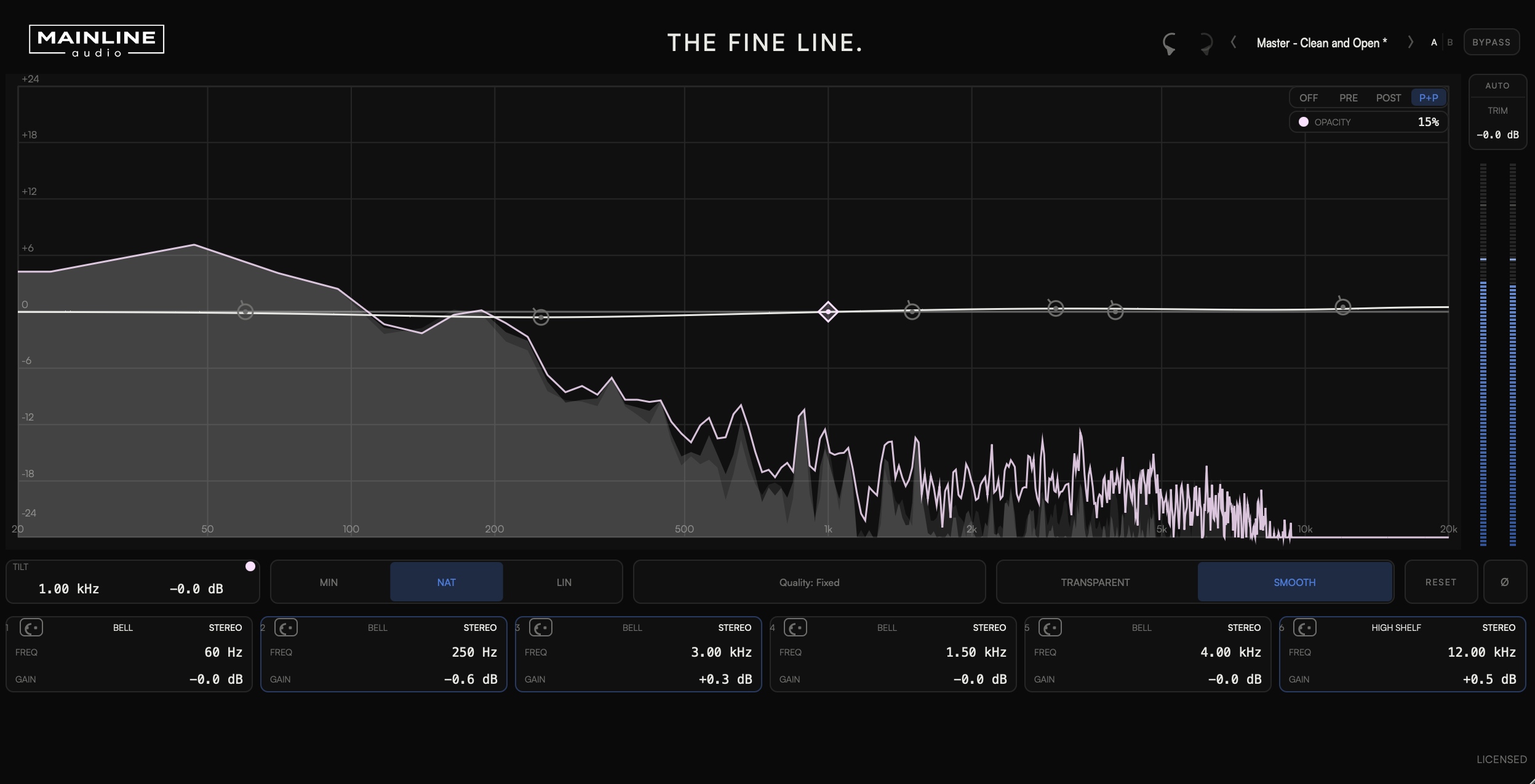
Six bands with proportional Q that widens as gain increases, so every move stays a broad, confident mastering gesture rather than a surgical mixing cut.
Minimum, Natural, and Linear phase — genuinely different processing engines, not one algorithm with a mode switch bolted on. Choose the one the material calls for.
A global tilt macro for fast broad tonal moves, plus Contour's Transparent and Smooth voicing — reach for the whole curve without touching a single band.
Target each band independently to Stereo, Mid, Side, Left, or Right.
Version 1.0.5 · Release notes →
Shape exactly where each band works.
Three engines. One curve.
Each phase engine processes the same six-band curve through a genuinely different signal path. Switch engines to match the mastering situation, not just the sound.
Quality (Standard / High / Ultra — 1x / 2x / 4x oversampling) applies only in Minimum phase. Natural and Linear use fixed FIR reconstruction, so there is no separate Quality choice to make in those modes.
Four ways to work the curve
Every comparison tool is built to answer one question honestly: what is this specific move actually doing.
See the curve, not just hear it
A light, honest read of what's happening — not a second metering suite bolted onto an EQ.
Technical Specifications
| Parameter | Range |
|---|---|
| Band Frequency | 20 Hz – 20 kHz |
| Band Gain | ±18 dB |
| Band Q | 0.1 – 10 |
| HP / LP Slope | 6 / 12 / 18 / 24 / 36 / 48 / 96 dB/oct |
| Tilt Frequency | 20 Hz – 20 kHz |
| Tilt Gain | ±6 dB |
| Output Trim | ±24 dB |
| Phase | Minimum / Natural / Linear |
| Quality | Standard / High / Ultra |
| Contour | Transparent / Smooth |
| Band Routing | Stereo / Mid / Side / Left / Right — independently selectable per band |
| Formats | AU / VST3 |
| Platform | macOS · Apple Silicon & Intel (Universal) |
Now.
VST3 & AU · macOS · Apple Silicon & Intel
Join the List
FAQ
What is The Fine Line?
A precise, restrained mastering equalizer built for exact numeric control with minimal visual noise — six bands, three phase engines, Tilt, and Contour, with independent Stereo, Mid, Side, Left, or Right routing available on every band.
Can I get it now?
Yes — The Fine Line is available now.
What formats are supported?
VST3 and AU on macOS (Apple Silicon & Intel, Universal). AAX / Windows are not currently supported.
How many computers can I install it on?
Up to 2 computers that you own or control. Deactivate a machine at any time to free up an activation.
Is educational licensing available?
Educational and institutional licensing may be available for schools, labs, and training facilities. Contact Mainline Audio for details.
Do you offer a demo?
Yes. A fully functional 14-day demo — the same AU/VST3 installer as the paid version — is available with no audio interruptions, muting, or feature restrictions. Get it through the free demo checkout above; you'll receive download access by email. Once installed, choose Start 14-Day Demo when you open The Fine Line. No payment or license key required.
Does it come with presets?
Yes — a factory bank of 20 presets (Init plus 19 starting points across Master, Drums, Bass, Guitar, Keys, and Vocal) ships with every install, and you can save your own alongside them.
Will there be updates?
The Fine Line checks once, shortly after you open it, for a newer stable version. If one is available, an UPDATE AVAILABLE badge appears; clicking it opens this page. The checker only reads the public version manifest—it never downloads or installs software and does not transmit license, project, or usage data. If the check cannot be completed, nothing appears.