Mainline Audio
The Main Squeeze
Feed-Forward Mastering Compressor
A focused mastering compressor built around one idea: give the engineer real control over recovery. Threshold, Ratio, Attack, Release, Makeup and Mix, a detector-only sidechain high-pass, and three Contour modes that change how the compressor lets go. The Main Squeeze isn’t another bus-compressor emulation — it’s built in the space between control and connection, so a mix stops sounding like separate tracks and starts sounding like one record.
Available Now · Introductory Price
$99
Regular price $149
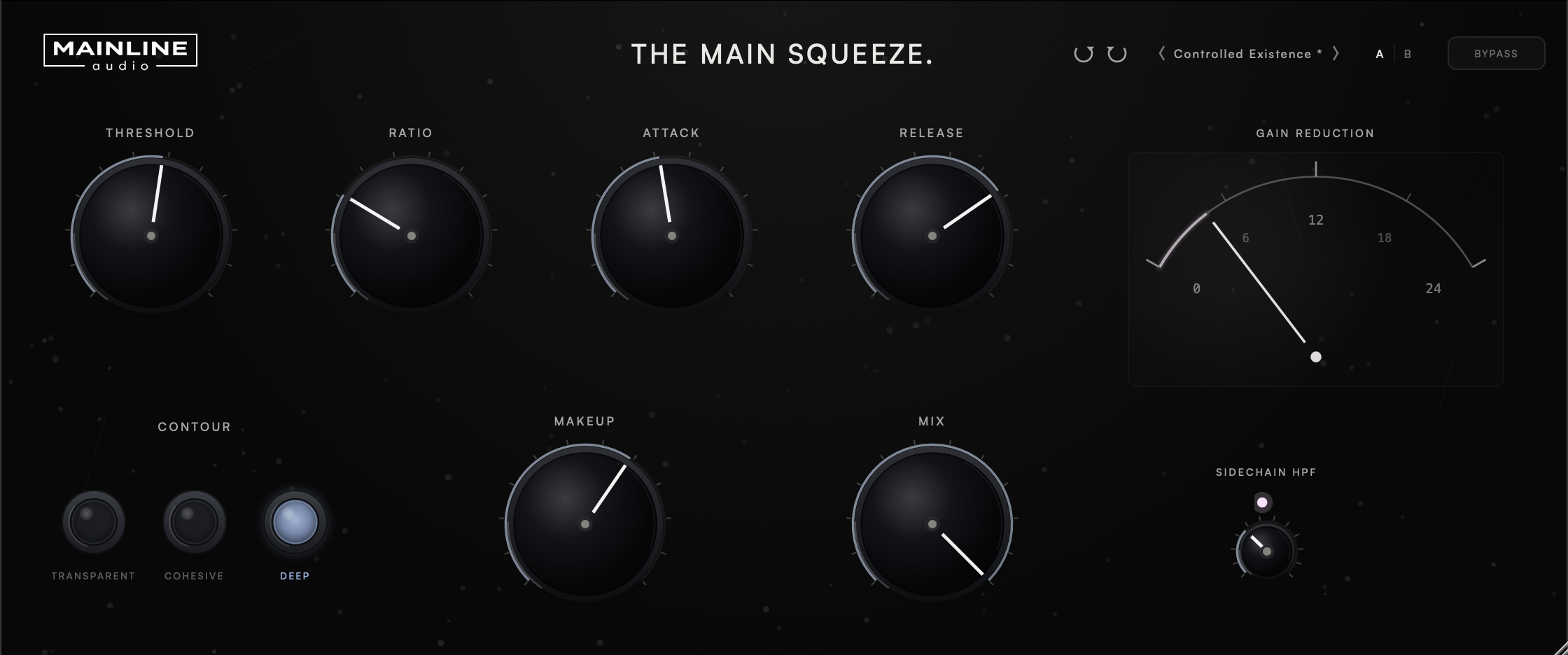
A feed-forward compressor with a stereo-linked peak detector and a soft knee, so gain reduction begins gradually rather than switching on at a hard threshold.
Three modes — Transparent, Cohesive and Deep — that reshape release only. Attack, the compression curve, and the soft knee remain identical in all three, so switching Contour changes how the compressor recovers, not how much it compresses.
A high-pass filter on the compressor’s detector signal, reducing low-frequency triggering without filtering the program audio.
An analog-inspired gain reduction meter that lets you feel the compressor working, not just read it. Alongside it: a factory preset bank, A/B comparison between two full parameter snapshots, and undo/redo across every control — so nothing you try is ever risky.
Version 1.0.1 · Release notes →
Three ways to let go.
Transparent follows the Release setting directly. Cohesive and Deep add a slower memory envelope that responds to recent program activity, letting recovery stretch when sustained energy builds. An isolated peak returns close to the chosen Release setting, while the same peak inside a dense passage relaxes more slowly. Cohesive keeps that movement subtle; Deep extends it further.
Contour reshapes release only. It adds no saturation, harmonic coloring or analog modelling.
Everything you need. Nothing you don't.
A deliberately small control set, each one broad enough for a confident mastering move.
The details.
| Threshold | −48 dB – 0 dB |
| Ratio | 1:1 – 20:1 |
| Attack | 0.1 ms – 300 ms |
| Release | 10 ms – 1000 ms |
| Makeup | −24 dB – +24 dB |
| Mix | 0% – 100% (parallel blend) |
| Contour | Transparent / Cohesive / Deep |
| Sidechain HPF | 20 Hz – 500 Hz, detector only |
| Knee | 6 dB soft knee |
| Detector | Stereo-linked peak |
| Metering | Gain reduction meter |
| Workflow | Factory presets, user presets, A/B compare, undo/redo |
| Latency | Zero — no lookahead or oversampling |
| Channels | Mono and stereo |
| Formats | AU / VST3 |
| Platform | macOS · Apple Silicon & Intel (Universal) |
| Version | 1.0.1 |
Now.
VST3 & AU · macOS · Apple Silicon & Intel
Join the List
What is The Main Squeeze?
A feed-forward mastering compressor with a stereo-linked peak detector, a 6 dB soft knee, a detector-only sidechain high-pass, and three Contour modes that reshape release.
What does Contour actually change?
Release, and only release. Transparent uses your Release setting unmodified. Cohesive and Deep add a slower memory envelope that extends recovery based on recent program activity. Attack, the compression curve, and the soft knee remain identical in all three modes, with no added saturation or harmonic coloring.
Does the sidechain high-pass filter my audio?
No. It filters only what the compressor's detector listens to. The audio you hear is never high-passed.
What formats are supported?
VST3 and AU on macOS (Apple Silicon & Intel, Universal). AAX / Windows are not currently supported.
How many computers can I install it on?
Up to 2 computers that you own or control.
Is educational licensing available?
Educational and institutional licensing may be available for schools, labs, and training facilities. Contact Mainline Audio for details.
Do you offer a demo?
Yes. A fully functional 14-day demo — the same AU/VST3 installer as the paid version — runs with no audio interruptions, muting, or feature restrictions. Get it through the free demo checkout above; you’ll receive download access by email. Once installed, choose Start 14-Day Demo when you open The Main Squeeze. No payment or license key required.
Will there be updates?
The Main Squeeze checks once, shortly after you open it, for a newer stable version. If one is available, an UPDATE AVAILABLE badge appears; clicking it opens this page. The checker only reads the public version manifest—it never downloads or installs software and does not transmit license, project, or usage data. If the check cannot be completed, nothing appears.